
Creating a Custom Lyrics Display Widget in BetterTouchTool
Touchbar Lyric
Reference official documentation: https://github.com/ChenghaoMou/touchbar-lyric
Install Python
The installation process won't be detailed here, you can use tools like brew, python.org official website, pyenv, conda, etc. for installation.
⚠️ Issues to note:
- Python versions 3.9.x and 3.10.x will output error messages in the widget:
1 | NotOpenSSLWarning: urllib3 v2 only supports OpenSSL 1.1.1+, currently the 'ssl' module is compiled with 'LibreSSL 2.8.3' |
- Solution: The final version used is 3.12.0
Install touchbar_lyric
1 | pip3 install touchbar_lyric --upgrade |
Test touchbar_lyric
1 | python3 -m touchbar_lyric --app Music |
Configure in BetterTouchTool
- Customize the menu bar, select Shell Script / Task widget
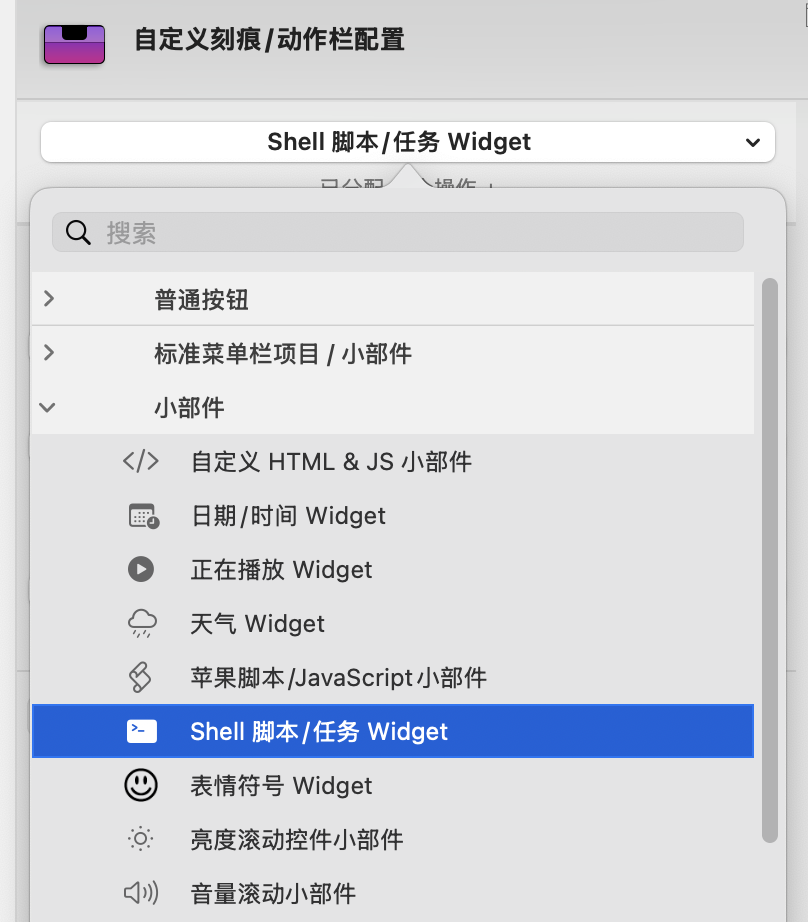
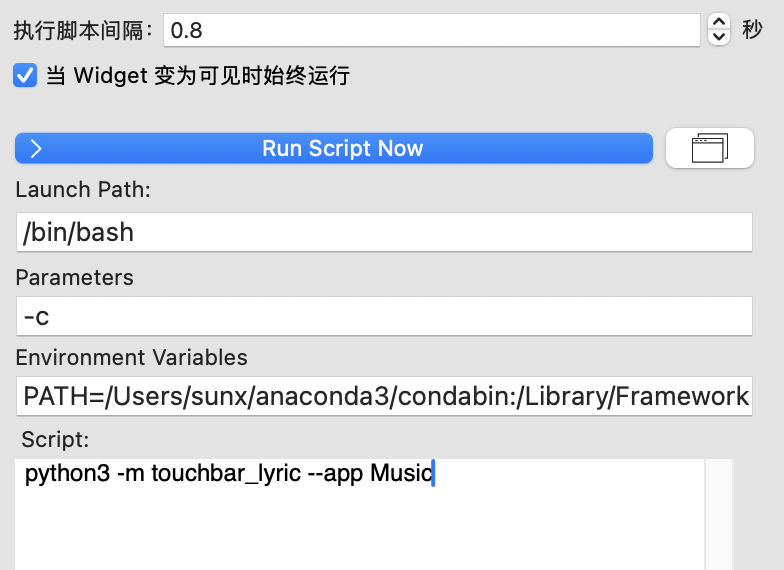
- Fill in the script configuration:
- Launch Path:
/bin/bash - Parameters:
-c - Environment Variables: Run
echo $PATHin your local Terminal, then copy the output here, the format should be similar to:1
PATH=/opt/homebrew/bin:/usr/local/bin:/usr/bin:/bin:/usr/sbin:/sbin:/Library/Apple/usr/bin...
Personalization (Optional)
Display "No Lyric" when lyrics are empty
1 | output=$(python3 -m touchbar_lyric --app Music) |
All articles on this blog are licensed under CC BY-NC-SA 4.0 unless otherwise stated.
 微信
微信 支付寶
支付寶